Flux 2 has reshaped how creators approach AI‑generated visuals by rewarding clarity, structure, and intentional creative direction.
To unlock its full potential, you need more than a handful of clever phrases; you need a reliable prompting system you can reuse and refine across projects.
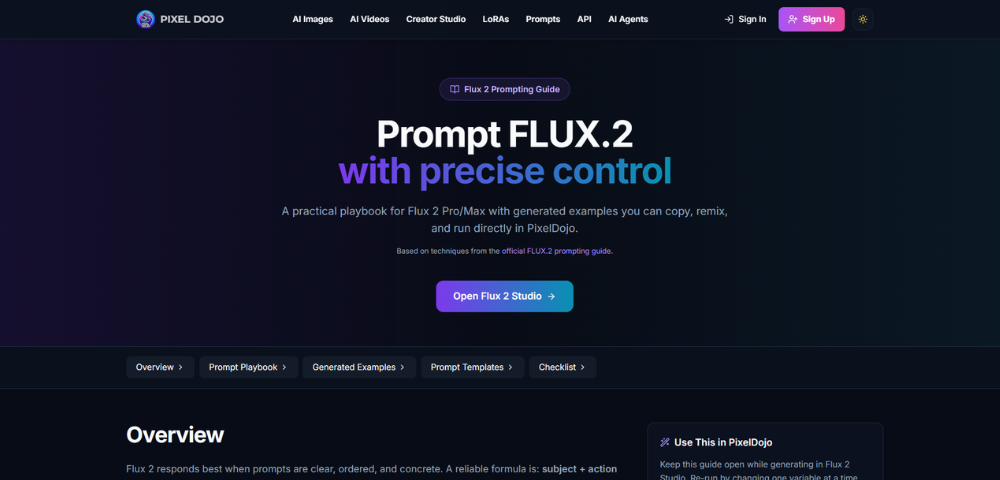
A dedicated Flux 2 Prompting Guide gives you exactly that: a practical framework for turning loose ideas into consistent, production‑ready images.
With a little practice, however, you can go from randomly playing with a Flux 2 instance to a repeatable workflow that feels more like filling out a creative brief than a lucky guess.
This guide outlines the steps in making Flux 2 work as a reliable part of your arsenal of visual tools, whether you’re designing campaign concept, character creation, or product shots.
Why Structured Prompting Matters in Flux 2
The best results with Flux 2 occur when prompts resemble art direction more than natural descriptions.
Prompts should be arranged in order of importance to instruct the model of the priority of the subject, action, style, and scene.
This manifests as sharper and more coherent compositions, and fewer generations that are “almost right but not quite.”
Think of each prompt as a short creative brief. Instead of “cool futuristic city,” you’re specifying vantage point, time of day, mood, and aesthetic.
Instead of just saying “a beautiful portrait,” you can request the age, expression, view, lighting, and feel of the camera.
The more specific, the more Flux 2 gets you images that feel like they were art directed.
A Simple Prompt Framework for Flux 2
A good starting point is a four‑part structure that you can adapt to almost any visual task:
- Subject – Who or what is the focus of the image?
- Action or Pose – What is happening or how the subject is positioned.
- Style – The visual language: photo, illustration, 3D render, anime, etc.
- Context – Environment, lighting, mood, camera, and composition details.
Here’s how that plays out in practice.
Instead of writing:
“A robot in a city at night.”
You might write:
“sleek bipedal robot standing in a rainy neon street, cinematic photograph, bright reflections on wet asphalt, shallow depth of field, soft magenta and cyan lighting, centered composition.”
The difference is not only in the words, but in the direction. You’ve told Flux 2 what to focus on, how to light it, how to frame it, and what style to imitate. That’s the sort of direction that makes it feel more like a collaborator than a slot machine.
Put the Most Important Detail First
Order matters. Flux 2 is particularly sensitive to the start of your prompt – begin with the most important idea.
If it’s a “minimalist skincare product shot,” then that’s got to be the first sentence, not slotted in there after we’ve had a stream of adjectives.
A useful rule of thumb:
- Start with the subject plus its defining trait: “minimalist skincare bottle,” “elderly woman astronaut,” “sleek electric sports car.”
- Immediately follow with the action or pose: “resting on a marble slab,” “gazing out a space station window,” “drifting around a coastal highway curve.”
- Then add style and scene: “studio product photo,” “cinematic film still,” “high-contrast long exposure shot,” followed by lighting and camera cues.
By front-loading what you care about most, you reduce the chance that Flux 2 will “wander” toward less important details and give you a beautiful image that still misses the point.
Use Concrete Visual Language, Not Vague Adjectives
Vague prompts produce vague results.
Words like “beautiful”, “awesome”, and “cool” have no specific formal meaning, and so are too vague for Flux 2 to use.
Instead, describe what a photographer, illustrator, or art director would likely create for your project if they were involved.
Swap soft adjectives for sharp, visual facts:
- Instead of “beautiful lighting,” say “soft morning light from the left, long gentle shadows, warm color tones.”
- Instead of “epic view,” say “wide aerial view of jagged mountains above low clouds, glowing horizon, tiny hikers on a ridge.”
- Instead of “futuristic UI,” say “dark dashboard interface with neon cyan accents, glassy panels, clean sans-serif typography, high contrast.”
Concrete language also means that you can reproduce that aesthetic later, since you find out which words likely contributed to which visual aspects of that image; over time, you can start to build your own personal prompting library.
Design Prompts Around Real Creative Use Cases
The greatest successes with Flux 2 will be in creative work.
Be that marketing images, brand assets, characters and character sheets, UI mockups, or product mockups, having an end goal makes the choices more obvious.
Product Shots
For product imagery, emphasize material, finish, and environment:
“matte black wireless earbuds on a glossy white surface, crisp studio lighting, subtle reflection under each earbud, macro photography, centered composition, clean background”
That level of detail helps Flux 2 understand that the product is the hero, not the background, and that you care about lighting quality and surface reflections.
Portraits
For portraits, give the model direction on personality and camera feel:
“middle-aged man with curly hair and glasses, soft smile, seated in a cozy library, warm ambient lamp light, shallow depth of field, editorial magazine portrait style”
Adding emotional and environmental cues turns a generic face into a character who feels anchored in a believable scene.
UI and Screen Concepts
For screen designs and dashboards, clarity is everything:
“clean mobile finance app dashboard, white background, minimal layout, bold headline at top, simple line charts and cards below, sharp, readable text, flat vector iconography”
By treating each category like its own mini recipe, you can reuse patterns that consistently give Flux 2 the look and feel you need.
Guide Flux 2 With Camera and Composition Language
Flux 2 reacts naturally to most photography or film terms. This gives you a way to light and frame your images. Camera-type commands instantly make something feel more professional or polished.
Useful elements include:
- Focal length: “35mm,” “50mm,” “85mm” to control perspective and background compression.
- Depth of field: “shallow depth of field,” “sharp foreground, soft background,” “everything in focus.”
- Composition: “centered composition,” “rule-of-thirds framing,” “top-down view,” “close-up portrait,” “wide landscape.”
- Lighting setups: “softbox light from the left,” “backlit silhouette,” “dramatic chiaroscuro lighting,” “overcast daylight.”
Combining these terms with your subject and style guides Flux 2 toward images that resemble deliberate photography decisions, not just generic camera angles.
Iterate Intentionally: Change One Variable at a Time
Flux 2 is best used by treating prompting like an experiment: instead of rewriting your initial prompt in its entirety, only modify one or two variables at a time and analyze the results.
For example, you can:
- Keep the same subject and composition but change the time of day from “golden hour” to “foggy early morning.”
- Keep the same lighting and style but change focal length from “35mm wide angle” to “85mm portrait lens.”
- Keep the same scene description but swap “photorealistic photograph” for “digital illustration with clean outlines.”
This also helps you get a feel for what each part of your prompt really does.
You will learn, over time, which words or combinations of words tend to lead to more drama, realism, or stylization.
Avoid Common Prompting Pitfalls
A few recurring mistakes tend to hold creators back with Flux 2, even when their ideas are strong:
- Overloaded prompts: Stuffing in too many styles at once (“oil painting, pixel art, vector, 3D render”) often results in muddy images. Choose one primary style and, at most, a subtle secondary influence.
- Missing composition cues: If you never indicate close-up vs wide, top-down vs eye-level, the model has to guess, which can lead to great images that are wrong for your use case.
- Conflicting instructions: Asking for “minimalist layout” and “highly detailed dense interface” in the same breath forces Flux 2 to split the difference in unhelpful ways.
One way to avoid many of these issues is to read your prompt like a creative brief and ask, “Is anything here contradictory? Is anything I care about missing or underspecified?”
If yes, shrink or edit the prompt before generating.
Turn Flux 2 Into a System, Not a Slot Machine
One of the biggest shifts in mindsets is to see your prompts as re-usable inputs, rather than one-time experiments.
Build a lightweight and personal Flux 2 Prompting Guide for yourself in whatever document, note-taking app, or other creative workflow you use.
That guide might include:
- Category-specific templates for portraits, products, environments, UI, and stylized art.
- A vocabulary list of lighting, camera, and composition terms that consistently produce good results.
- A small gallery of your favorite outputs paired with the exact prompts that generated them.
This becomes your language with Flux 2: a system of patterns we can use to translate creative direction into high-fidelity images with a high degree of consistency.
It’s also easy to drop your language into existing design workflows, whether you’re working alongside editors in a design studio, generating images for your marketing team, or brainstorming ideas for a service like Pixel Dojo.
Structured prompting, deliberate iteration, and a reusable personal guide combine to provide a creative partner who can keep pace with your ideas, increase your style, and scale your output without compromising your vision, so you can focus on creativity, not trial and error.