You have an idea for a video project. It could be an online product launch, a YouTube promotional tool, an about/brand reel for your site, or an online ad promotion. You can visualize your project playing out—but the cameras are not ready to roll. The budget for your project has not been approved, or you’re simply uncertain if your project will be successful.
This is exactly how new creators are turning the whole process upside down.
Rather than shoot and fix, they’re now visualizing and fixing, using Pippit and an AI storyboard generator to test ideas, pace, and hooks before they invest any time and money. The end result: No reshoots, a clear idea, and videos that really work from day one.
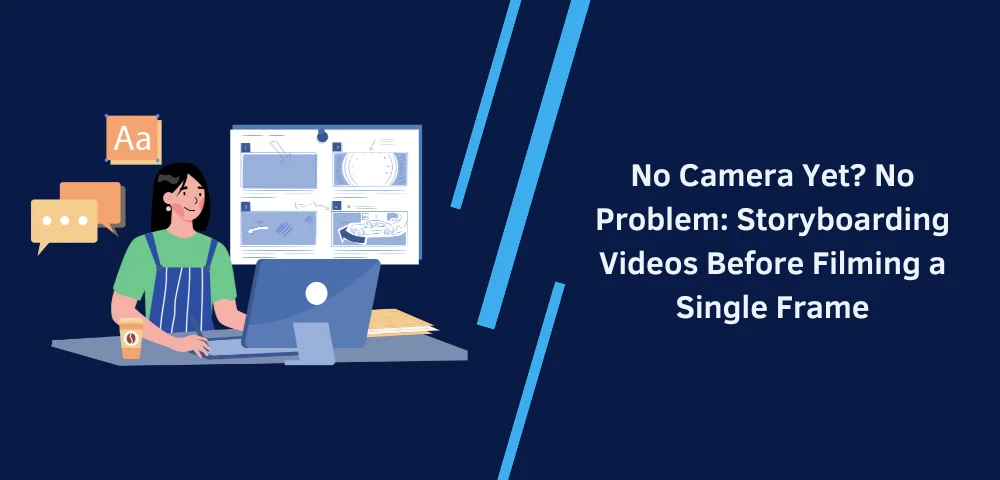
We’re going to look at why storyboarding before filming is rapidly becoming a superpower for a creator, and how you can implement this concept within your own life today.
The most intelligent videos are the ones that take place well before the recording button is pushed
In traditional video production, the process may immediately proceed with filming. This is a high-risk approach. After all, as soon as video is recorded, it becomes costly to make any changes.
The confidence was flipped by storyboarding from being a risk.
When you storyboard first, you’re able to answer some crucial questions early on:
- Does the opening hook catch the readers’ attention quickly enough?
- Does the story have its flow from one scene to the next?
- Are there any awkward transitions or dead moments?
- Is the message clear without explanation?
It allows the creators to visualize these answers upfront and make conscious decisions before recording even a single frame.
Why makers are validating ideas visually—and not verbally
Ideas sound great when explained. But videos aren’t experienced as explanations – they’re experienced as sequences of moments.
A storyboard solidifies abstract ideas into a concrete manner. It conveys pacing and rhythm, including emotional beats, which make it way more effortless to see possible problems early.
Storyboards help creators to:
- Test several hooks in minutes.
- Compare various narrative directions
- Determine where text, visuals, or silence should appear
- Align collaborators before production starts
Instead of asking, “Does this make sense?”, you can ask, “Does this feel right?” That’s a much better question for video.
Pacing, hooks, and flow: things scripts alone can’t fix
A script might read perfectly-but still fall flat on screen.
Why? Because in the video, it’s all in the timing.
Storyboards allow you to feel the pace. You see if the hook lands quickly enough, you sense if a moment drags or if a transition feels rushed, you can adjust the length of scenes before filming anything.
This will be particularly powerful for short-form content, where every second counts. A storyboard helps you design attention, not hope for it.
It saves money by thinking it out visually first
Filming is not cheap. Even “simple” shoots are extremely time-, energy-, and resource-consuming. Storyboarding reduces waste by making sure you only film what you actually need.
Storyboards assist creators in several ways, including:
- Avoid unnecessary shots
- Plan camera angles intentionally
- Reduce re-shoots due to unclear vision
- Communicate clearly with videographers or editors
When everyone’s on the same page about what the final video should look and feel like, production becomes execution—not experimentation. Reference frames can also be made ready for the storyboard, you can work on the visuals, or even remove text from video clips.
Flexibility before filming means freedom during filming
One of the underrated advantages of doing storyboarding early is having creative freedom.
When your structure is defined, it’s easy to experiment with it. You can do a number of things on stage—perform in a certain way, use lighting differently, or have a certain delivery—that won’t let you lose your structure.
But what happens if something is not working? Well, you swap out the storyboard, but do not swap out the shoot.
Pre-mapping video content you have yet to produce: how to create AI storyboards with Pippit
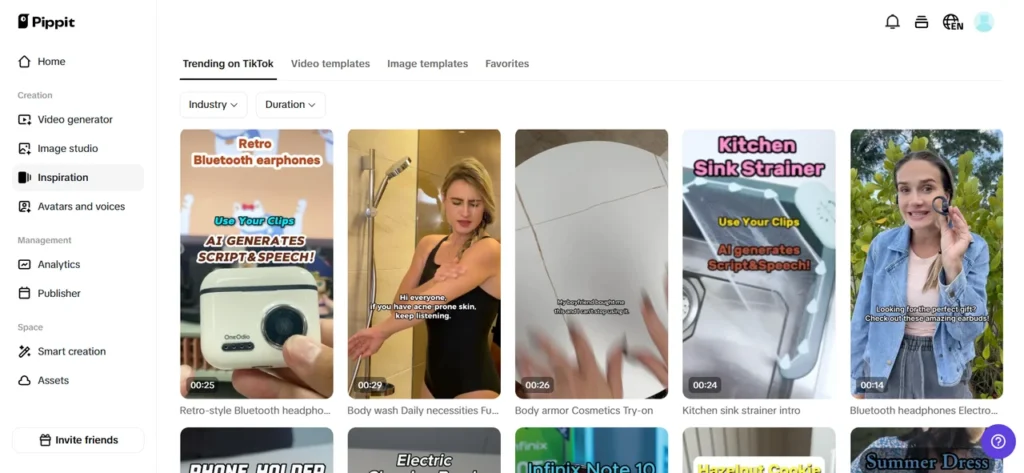
This is where Pippit naturally enters the process. It is a tool for creators to have a visual playroom to play with ideas swiftly, with no technical hurdles in the way.
Afterward, here is a three-step process to generate a storyboard for your video, which will help you evaluate your video before you actually film it. The process uses artificial intelligence to generate the
Step 1: Set up your canvas
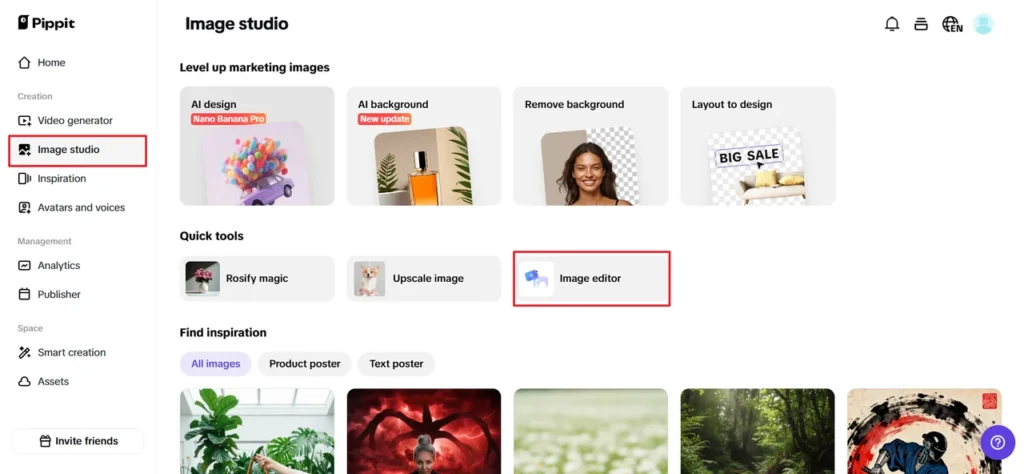
Start by selecting the Image Studio option from the left panel. Click on the Image editor. This opens a new window for customizations. Choose the default size. Hit Create.
This is an open canvas, your planning area. You can resize, rotate, or arrange elements freely to create a structured visual flow. Think of this as laying out your scenes before actors, cameras, or locations come into play.
Step 2: Choose and Customize Your Collage Template
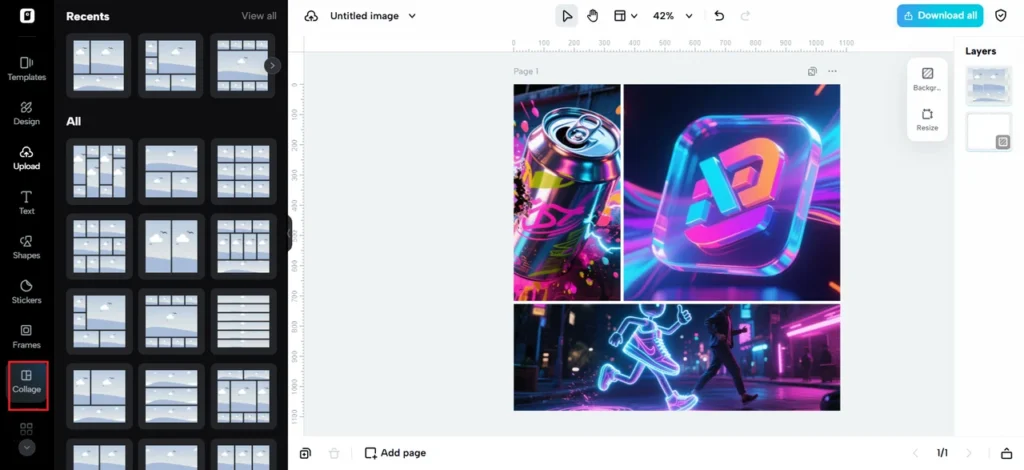
On the left panel, click Collage to explore pre-designed templates. These help you organize the scenes in a logical sequence, whether you want to tell a story linearly, with perspectives interspersed, or in a grid of shots for quick cuts.
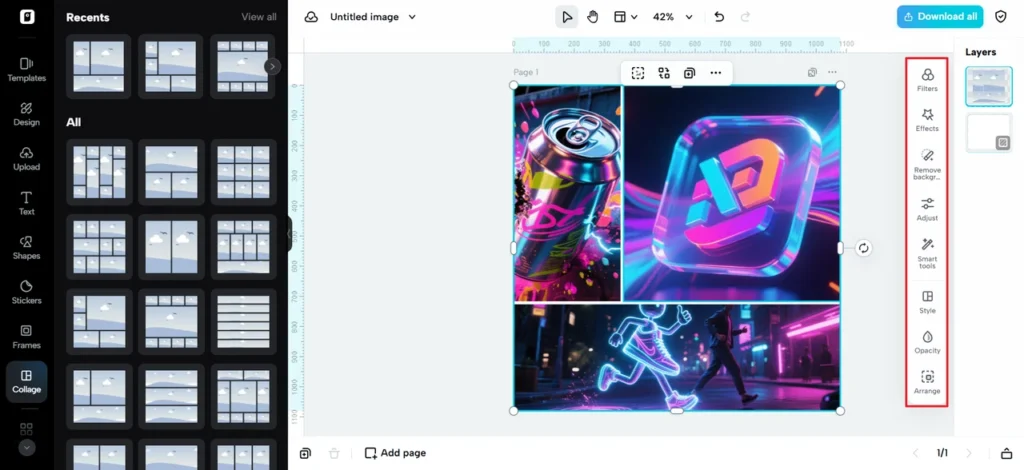
Pick the template that best fits your idea, then adjust spacing, opacity, and proportion from the right-hand side panel. Upload reference images, sketches, or placeholders using the Upload option. At this stage, your video concept begins to feel real.
Step 3: Enhance and finalize your storyboard
Now refine your story by adding themes, fonts, shapes, frames, or textboxes to emphasize key highlights/lessons from your story. You can add some background colors/visuals to your images to identify tone/feel of your story.
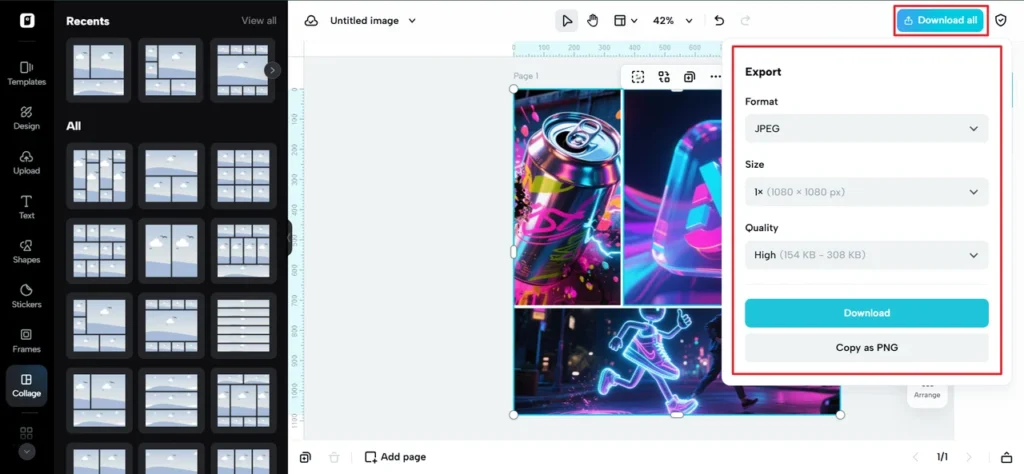
When all is flowing smoothly, click the Download All button in the top-right corner. Your storyboard is set to help with filming or, in some cases, whether or not filming is necessary.
Storyboards, a safety net for creativity
Not every idea needs a full shoot, and this is a good thing. Storyboarding puts you in a position to test and fail, refine, or completely re-imagine ideas early on.
That creators discover:
- A hook that isn’t strong enough to carry a whole
- A middle section that requires energy
- An end that is not very satisfying
Discovering these problems on a storyboard is an achievement. This is because you save time, money, and effort. Visuals can be cleaned up if required using Pippit’s transparent background maker or some other tool to pull out elements or simplify the visual scene.
Collaboration without confusion
Storyboards also ensure that the collaboration process becomes smoother. It can be with a client, the brand team, or the production team that you are collaborating with.
Rather than explanation, you provide a sequence. Everyone views the same thing. Feedback is detailed,/actionable, and quick.
The future is for the planners, for the creatives who plan visually
In today’s fast-moving world of online content, smart planners outperform and outpace. Storyboarding before recording is not a constraint—it’s a tool.
It helps you guard your budget, refine your concepts, and produce videos that seem well-placed rather than ad-libbed. And with software such as Pippit, the entry level has rarely been lower.
Still not ready to film? Finish with a storyboard. See how Pippit works, and use it to help your concepts crystallize before you ever begin recording.